
CCleaner
5.60.7307
Size: 19.43 MB
Downloads: 187489
Platform: Windows (All Versions)

If you have used the computer for a long time, installing and uninstalling various applications, then your hard disk and system registry are probably full of useless entries and files and folders. These items take a lot of space and can also cause performance and stability problems. This is why it's important to clean them once in a while, because if they become numerous, they can even prevent Windows from booting up. This operating system has a tool named Disk Cleanup which can clean the hard disk from useless items and temporary data, but unfortunately, this tool doesn't work as expected, leaving a lot of traces behind.
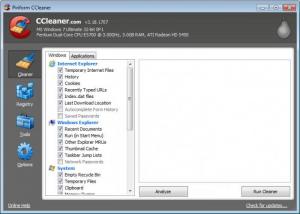
CCleaner is a much better approach to cleaning the system and restoring its lost performance and stability. It's a Windows application which can scan the hard disk and system registry, removing all the unnecessary files and keys in very little time. The program is very simple to install and completes the process in very little time. After installing and running CCleaner, the user will surely notice the graphical interface which includes a series of tabs.
The first tab allows cleaning the hard disk from useless files and folders. The user can select what kind of data should be removed and also what program should be checked for temporary or useless data. CCleaner is compatible with most web browsers and can remove all the generated cache, cookies and history from them, thus improving privacy. Besides that, recent accessed documents or typed words can be removed as well.
The Registry tab of CCleaner can remove all the unneeded keys and values from the system registry and the user can select which area should be checked for obsolete items. The program offers the possibility to back up the registry before it is cleaned up, so in case a wrong key gets deleted by mistake, the user can always restore it to its original state.
Besides cleaning the hard disk and the registry, CCleaner also includes some extra tools, which allow managing installing programs and uninstalling them with ease and also managing startup items and removing the ones that are unneeded, thus shortening the time needed for Windows to boot up. The program also includes a feature for wiping the free space of any hard disk, making all the deleted data impossible to recover, no matter what recovery software is used for this purpose.
CCleaner can be set to run together with Windows and can also update itself directly from the interface to the newest version, if there is one available.
Pros
It can clean the hard disk and system registry from useless items, thus improving performance, stability and saving disk space. Besides that, it can manage all installed applications and startup items. What's more, it can wipe the free space of any partition.

Cons
It doesn't allow cleaning up the system automatically on a regular basis. CCleaner allows you to improve the performance and stability of your system in an easy way, by cleaning all the unwanted items from it, using a very simple interface.

CCleaner
5.60.7307
Download
CCleaner Awards

CCleaner Editor’s Review Rating
CCleaner has been reviewed by Jerome Johnston on 09 May 2012. Based on the user interface, features and complexity, Findmysoft has rated CCleaner 5 out of 5 stars, naming it Essential




